


























// Help & FAQ
New here?
Start here.
How to get going on each of our servers, and the questions players ask most. Can’t find it? Ask us on Discord.
General
For every game we run.
How do I join a server?
Open the game’s page on this website, copy a server’s address (or press Join where there is one) and paste it into the game’s direct connect or server browser. Servers without a public address show “IP on Discord”: ask in our Discord.
Do I need to join the Discord?
It isn’t required to play, but it’s where announcements, wipe and maintenance news, events and help from the admins happen. We recommend it.
A server shows Offline. What now?
It’s probably restarting or being updated, which usually takes a few minutes. If it stays offline, check the announcements on Discord or ask there.
How do I report a player or a problem?
Open a ticket on our Discord with the server name, what happened, when, and screenshots or clips if you have them. Please don’t argue it out in game chat.
How do I get help from an admin?
Ask in the game’s channel on Discord or open a ticket. Admins are volunteers in different time zones, so it can take a little while.
What is VIP?
Some games have a VIP option, look for the gold VIP tag. It helps pay for the servers and comes with perks such as a VIP map or in-game extras. Details are in our store and on Discord.
How are the servers paid for?
By the community: store purchases and VIP keep the servers running. Thank you to everyone who chips in.
Can you add a game I’d like to play?
Suggest it on Discord. New games are added when there’s enough interest and room on the machines.
 Atlas
Atlas servers →
New here?
- 1 Get Atlas Buy and install it on Steam. Open on Steam →
- 2 Join our Discord Server news, help from the admins and the rest of the community. Join Discord →
- 3 Pick a server Our Atlas page lists every server with its live status. Copy an address (or press Join) and you're in. Atlas servers →
- 4 Read the rules A few minutes now saves trouble later. Atlas rules →
How do I start?
Pick one of our freeports on the Atlas page (Start at a freeport), press Join, and create your pathfinder there.
What do the colours on the sea chart mean?
Each grid shows whether it is online and how many players are in it, live. Click a grid to see its details and join it directly.
The chart says “No signal”. Is the server down?
Not necessarily: it means the website can’t reach the status system right now. Check Discord for news.
 Ark: Survival Evolved Primal Fear / Eternal
ARK: SE servers →
New here?
- 1 Get Ark: Survival Evolved Primal Fear / Eternal Buy and install it on Steam. Open on Steam →
- 2 Join our Discord Server news, help from the admins and the rest of the community. Join Discord →
- 3 Pick a server Our ARK: SE page lists every server with its live status. Copy an address (or press Join) and you're in. ARK: SE servers →
- 4 Read the rules A few minutes now saves trouble later. ARK: SE rules →
Which ARK is it?
Our Primal Fear / Eternal cluster runs on ARK: Survival Evolved (Steam). Each map on the game page has a Join button that opens it through Steam.
Which mods do I need?
Press “View mods” on the cluster: it lists every mod, and “Subscribe to all” on Steam gets them in one go. The game downloads them the first time you join.
Can I move between maps?
Yes, the maps form a cluster: upload your character, items and dinos at an obelisk, terminal or supply drop, and download them on another map.
What do VIP maps give?
VIP maps are part of the cluster for supporters. Details are in our store and on Discord.
 Palworld
 servers →
New here?
- 1 Get Palworld Buy and install it on Steam. Open on Steam →
- 2 Join our Discord Server news, help from the admins and the rest of the community. Join Discord →
- 3 Pick a server Our Palworld page lists every server with its live status. Copy an address (or press Join) and you're in. Palworld servers →
- 4 Read the rules A few minutes now saves trouble later. Palworld rules →
How do I join?
In Palworld, choose Join Multiplayer Game and enter the address from this page. If an address isn't listed, ask on our Discord.
Where do I get help?
Join our Discord for server news, events and help from the admins and the community.
 Satisfactory
 servers →
New here?
- 1 Get Satisfactory Buy and install it on Steam. Open on Steam →
- 2 Join our Discord Server news, help from the admins and the rest of the community. Join Discord →
- 3 Pick a server Our Satisfactory page lists every server with its live status. Copy an address (or press Join) and you're in. Satisfactory servers →
- 4 Read the rules A few minutes now saves trouble later. Satisfactory rules →
How do I join?
In Satisfactory, open Server Manager → Add Server and enter the address from this page. If an address isn't listed, ask on our Discord.
Where do I get help?
Join our Discord for server news, events and help from the admins and the community.
 Dark and Light
 servers →
New here?
- 1 Get Dark and Light Buy and install it on Steam. Open on Steam →
- 2 Join our Discord Server news, help from the admins and the rest of the community. Join Discord →
- 3 Pick a server Our Dark and Light page lists every server with its live status. Copy an address (or press Join) and you're in. Dark and Light servers →
- 4 Read the rules A few minutes now saves trouble later. Dark and Light rules →
How do I join?
Search for our server in the in-game server list, or copy its address from this page. If an address isn't listed, ask on our Discord.
Where do I get help?
Join our Discord for server news, events and help from the admins and the community.
 Rust
Rust servers →
New here?
- 1 Get Rust Buy and install it on Steam. Open on Steam →
- 2 Join our Discord Server news, help from the admins and the rest of the community. Join Discord →
- 3 Pick a server Our Rust page lists every server with its live status. Copy an address (or press Join) and you're in. Rust servers →
- 4 Read the rules A few minutes now saves trouble later. Rust rules →
What’s the difference between the 10X PVE and 10X PVP servers?
The 10X PVE server focuses on building, farming and exploring without the stress of raids or combat. The 10X PVP server offers a balanced, action-packed experience with faster progression and active raiding.
Do the servers wipe, and how often?
Yes. Both servers wipe on the first Thursday of every month to keep gameplay fresh. Check Discord for the exact wipe times.
Are there any custom plugins or mods?
Yes. Both servers feature quality-of-life plugins such as teleportation, clans, kits and shop systems. Some features are tuned differently between PVE and PVP to suit the playstyle.
Do I need to pay to play?
No, both servers are free to join and play. There may be optional VIP or donation packages that support server costs and offer small perks without breaking game balance.
Is there an active admin team?
Yes. Both servers have an active staff team to enforce the rules, prevent cheating and keep play fair. Reach them through the in-game report system or on Discord.
How do I join, or get help?
Search for the server names in the in-game Rust server browser, or copy an address from this page. For help, events and community updates, join our Discord.
 7 Days to Die
7D2D servers →
New here?
- 1 Get 7 Days to Die Buy and install it on Steam. Open on Steam →
- 2 Join our Discord Server news, help from the admins and the rest of the community. Join Discord →
- 3 Pick a server Our 7D2D page lists every server with its live status. Copy an address (or press Join) and you're in. 7D2D servers →
- 4 Read the rules A few minutes now saves trouble later. 7D2D rules →
Which server should I pick?
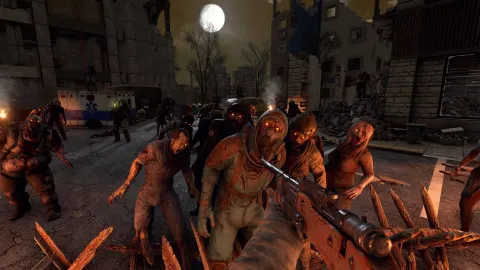
New to the game, or want it as it was made? Vanilla. Want a much harder, bigger game with new zombies and crafting? Darkness Falls. Prefer tactical gunfights and realistic weapons? The Escape From Tarkov server.
Do the modded servers need mods on my side?
Overhauls like Darkness Falls usually need the mod installed on your game too. Our Discord has the exact version and install steps for each server.
How do I join?
Copy a server's address from this page and connect from the in-game server browser. If an address isn't listed yet, you'll find it on our Discord.
When does the blood moon rise?
By default every seventh night, but each server can tune it. Check the server's settings in Discord, and be home before dark.
 Conan Exiles Enhanced
Conan servers →
New here?
- 1 Get Conan Exiles Enhanced Buy and install it on Steam. Open on Steam →
- 2 Join our Discord Server news, help from the admins and the rest of the community. Join Discord →
- 3 Pick a server Our Conan page lists every server with its live status. Copy an address (or press Join) and you're in. Conan servers →
- 4 Read the rules A few minutes now saves trouble later. Conan rules →
Do I need to buy Enhanced separately?
No. Conan Exiles Enhanced is a free upgrade for everyone who owns Conan Exiles on Steam, and it keeps the DLC you already own.
Which map do the servers run?
Each server lists its map and settings on our Discord. The Isle of Siptah needs its expansion; the Exiled Lands come with the game.
How do I join?
Copy a server's address from this page and connect from the in-game server browser. If an address isn't listed yet, you'll find it on our Discord.
 Soulmask
 servers →
New here?
- 1 Get Soulmask Buy and install it on Steam. Open on Steam →
- 2 Join our Discord Server news, help from the admins and the rest of the community. Join Discord →
- 3 Pick a server Our Soulmask page lists every server with its live status. Copy an address (or press Join) and you're in. Soulmask servers →
- 4 Read the rules A few minutes now saves trouble later. Soulmask rules →
Why are there two servers?
Our Discord lists what each server runs, so you can pick the one that suits you before you settle in.
How do I join?
Search for the server name in the in-game server list, or copy its address from this page. If an address isn't listed yet, ask on our Discord.
Where do I get help?
Join our Discord for server news, events and help from the admins and the community.
 Vein
Vein servers →
New here?
- 1 Get Vein Buy and install it on Steam. Open on Steam →
- 2 Join our Discord Server news, help from the admins and the rest of the community. Join Discord →
- 3 Pick a server Our Vein page lists every server with its live status. Copy an address (or press Join) and you're in. Vein servers →
- 4 Read the rules A few minutes now saves trouble later. Vein rules →
Is Vein finished?
Vein is in Early Access on Steam, so it's still growing. Updates can bring big changes, and our Discord posts when the server updates.
How do I join?
Search for the server name in the in-game server list, or copy its address from this page. If an address isn't listed yet, ask on our Discord.
Where do I get help?
Join our Discord for server news, events and help from the admins and the community.
 Icarus
 servers →
New here?
- 1 Get Icarus Buy and install it on Steam. Open on Steam →
- 2 Join our Discord Server news, help from the admins and the rest of the community. Join Discord →
- 3 Pick a server Our Icarus page lists every server with its live status. Copy an address (or press Join) and you're in. Icarus servers →
- 4 Read the rules A few minutes now saves trouble later. Icarus rules →
Why are there two servers?
Our Discord lists what each server runs, so you can pick the one that suits you before you drop in.
How do I join?
Search for the server name in the in-game server list, or copy its address from this page. If an address isn't listed yet, ask on our Discord.
Where do I get help?
Join our Discord for server news, events and help from the admins and the community.
 Valheim
 servers →
New here?
- 1 Get Valheim Buy and install it on Steam. Open on Steam →
- 2 Join our Discord Server news, help from the admins and the rest of the community. Join Discord →
- 3 Pick a server Our Valheim page lists every server with its live status. Copy an address (or press Join) and you're in. Valheim servers →
- 4 Read the rules A few minutes now saves trouble later. Valheim rules →
Can I bring my own character?
Yes. Valheim characters belong to you, not to a world, so you can bring the Viking you already have. Ask on our Discord if a server wants a fresh character.
How do I join?
Search for the server name in the in-game server list, or copy its address from this page. If an address isn't listed yet, ask on our Discord.
Where do I get help?
Join our Discord for server news, events and help from the admins and the community.
 Enshrouded
 servers →
New here?
- 1 Get Enshrouded Buy and install it on Steam. Open on Steam →
- 2 Join our Discord Server news, help from the admins and the rest of the community. Join Discord →
- 3 Pick a server Our Enshrouded page lists every server with its live status. Copy an address (or press Join) and you're in. Enshrouded servers →
- 4 Read the rules A few minutes now saves trouble later. Enshrouded rules →
How do I join?
Search for Rare Spawn Enshrouded in the in-game server list, or copy its address from this page. If anything changes, our Discord has the latest.
Can I bring my own character?
Yes. Enshrouded characters belong to you, not to a world, so the Flameborn you already play can join our server.
Where do I get help?
Join our Discord for server news, events and help from the admins and the community.
 Minecraft
 servers →
New here?
- 1 Get Minecraft Install the game on your PC.
- 2 Join our Discord Server news, help from the admins and the rest of the community. Join Discord →
- 3 Pick a server Our Minecraft page lists every server with its live status. Copy an address (or press Join) and you're in. Minecraft servers →
- 4 Read the rules A few minutes now saves trouble later. Minecraft rules →
Bedrock or Java: which do I have?
If you play on a phone, tablet, Xbox, PlayStation, Switch or the Windows Minecraft app, you have Bedrock Edition. If you start the game from the Minecraft Launcher on a Windows, Mac or Linux PC and pick "Java Edition", you have Java.
Can Bedrock players join Might & Magic, or Java players join RSG Bedrock?
No. The two editions can't play together. Bedrock players join RSG Bedrock; Java players join Might & Magic.
How do I join RSG Bedrock?
Open Minecraft, go to Play → Servers → Add Server, and enter the address and port shown on this page. On consoles, adding your own servers can be limited: ask on our Discord for help.
How do I join Might & Magic?
Install the modpack for Minecraft 1.12.2 first (our Discord has the exact pack and the steps), start it, then add the address from this page under Multiplayer → Add Server.
 Vintage Story
 servers →
New here?
- 1 Get Vintage Story Install the game on your PC.
- 2 Join our Discord Server news, help from the admins and the rest of the community. Join Discord →
- 3 Pick a server Our Vintage Story page lists every server with its live status. Copy an address (or press Join) and you're in. Vintage Story servers →
- 4 Read the rules A few minutes now saves trouble later. Vintage Story rules →
Where do I get the game?
Vintage Story isn't on Steam. You buy and download it from the developers' own website, vintagestory.at.
How do I join?
In the game, open Multiplayer → Add Server and enter the address from this page. If an address isn't listed, ask on our Discord.
Where do I get help?
Join our Discord for server news, events and help from the admins and the community.
 Nightingale
 servers →
New here?
- 1 Get Nightingale Buy and install it on Steam. Open on Steam →
- 2 Join our Discord Server news, help from the admins and the rest of the community. Join Discord →
- 3 Pick a server Our Nightingale page lists every server with its live status. Copy an address (or press Join) and you're in. Nightingale servers →
- 4 Read the rules A few minutes now saves trouble later. Nightingale rules →
What's the server address?
It isn't published yet. Ask on our Discord and we'll get you in.
Where do I get help?
Join our Discord for server news, events and help from the admins and the community.
 Dune: Awakening
Dune servers →
New here?
- 1 Get Dune: Awakening Buy and install it on Steam. Open on Steam →
- 2 Join our Discord Server news, help from the admins and the rest of the community. Join Discord →
- 3 Pick a server Our Dune page lists every server with its live status. Copy an address (or press Join) and you're in. Dune servers →
- 4 Read the rules A few minutes now saves trouble later. Dune rules →
Why isn't there a server address?
Dune: Awakening doesn't use addresses. Our worlds run as a Funcom battlegroup, a group of linked maps: the Survival map, the Overmap and the Deep Desert. You join it from the in-game server browser.
How do I join?
Open Dune: Awakening, choose our battlegroup from the in-game server browser and create your character there. Ask on our Discord for the name to look for.
What are the Survival map, the Overmap and the Deep Desert?
The Survival map is where you live and build. The Overmap is the travel map that links them. The Deep Desert is the shared, dangerous endgame zone, where the best spice is.
 Windrose
 servers →
New here?
- 1 Get Windrose Buy and install it on Steam. Open on Steam →
- 2 Join our Discord Server news, help from the admins and the rest of the community. Join Discord →
- 3 Pick a server Our Windrose page lists every server with its live status. Copy an address (or press Join) and you're in. Windrose servers →
- 4 Read the rules A few minutes now saves trouble later. Windrose rules →
Is Windrose finished?
Windrose is in Early Access on Steam, so it's still growing. Updates can bring big changes, and our Discord posts when the server updates.
Is there PvP?
No. Windrose is PvE: players crew up against the world, not each other.
How do I join?
Ask on our Discord for the server's invite code or address, then join from the game's server menu.
Where do I get help?
Join our Discord for server news, events and help from the admins and the community.
Nothing matches “”. Try another word, or ask us on Discord.